layout: post keywords: blog description: blog title: "Android FlipLayout" categories: [Android] tags: [FlipLayout]
{% include codepiano/setup %}
这周新功能有一个类似web版Google+翻转的特效,Android自带的动画效果全是基于平面的,像实现这种3D效果必须要自定义,于是自己写了个demo。效果如下:
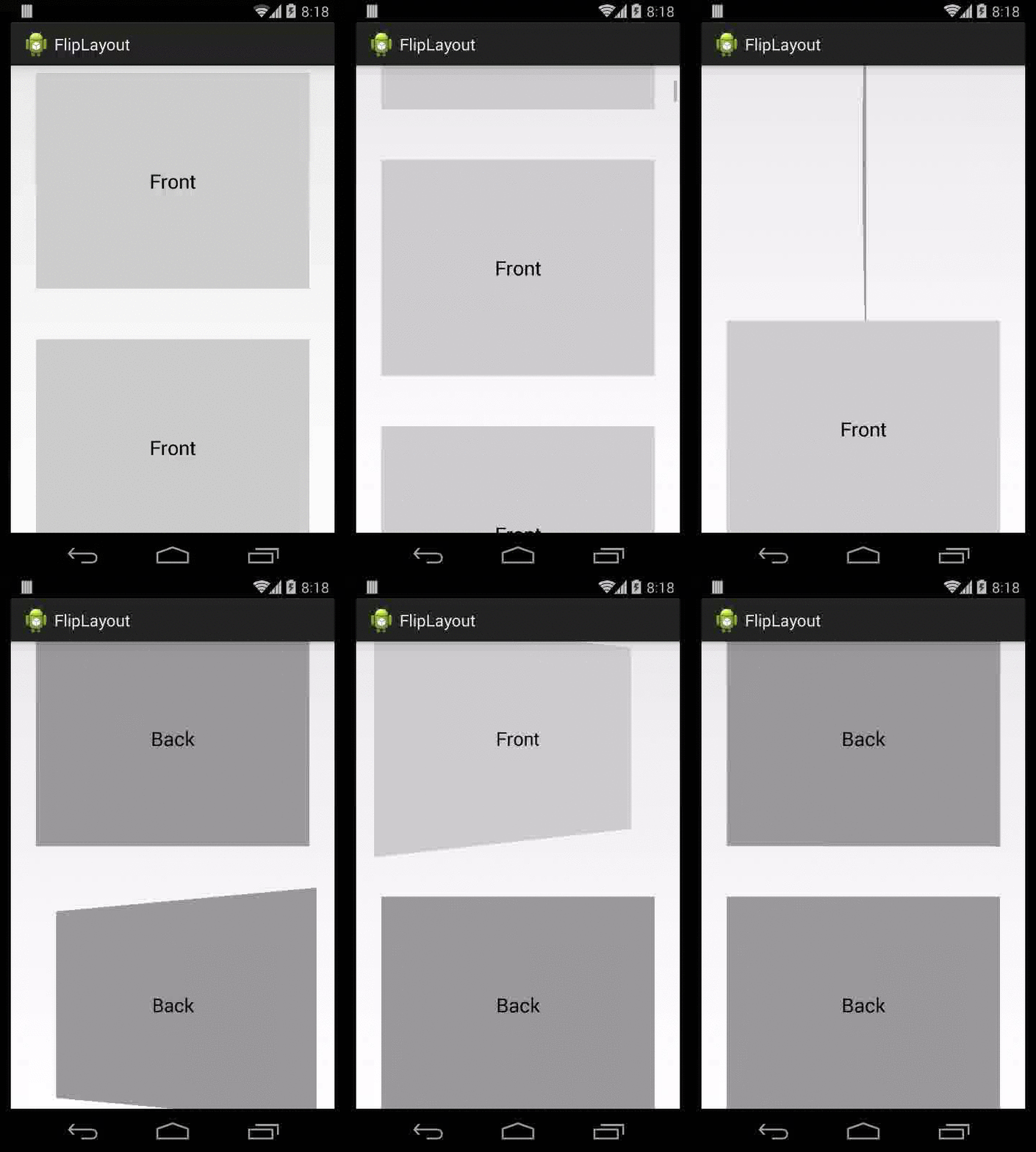
主要思路其实也蛮简单的,主要是自定义一个Animation,然后在applyTransformation方法里通过矩阵变换让其按照y轴旋转,只是在旋转到中间画面的切换细节稍微处理下。
使用
用法非常简单,可以直接在xml中使用,类似下面:
{% highlight xml %}
<?xml version="1.0" encoding="utf-8"?>
<TextView
    android:layout_width="match_parent"
    android:layout_height="200dp"
    android:layout_gravity="center"
    android:background="#FFCCCCCC"
    android:gravity="center"
    android:text="@string/front"
    android:textAppearance="@android:style/TextAppearance.Large" />

<TextView
    android:layout_width="match_parent"
    android:layout_height="200dp"
    android:layout_centerInParent="true"
    android:layout_gravity="center"
    android:background="#FF999999"
    android:gravity="center"
    android:text="@string/back"
    android:textAppearance="@android:style/TextAppearance.Large"
    android:visibility="gone" />
{% endhighlight %}
当然使用中不仅限于TextView,你同样可以放很负责的布局进去,但是要注意保证FlipLayout只有两个child。
github地址:FlipLayout